Full 1080p & Crystal Audio.
100% Free. Truly Private.
The lightweight native companion for the YT Grab Firefox Add-on. Enjoy lightning-fast YouTube downloads with guaranteed AAC audio synchronization — no servers, no paywalls, zero ads.
Built for Performance & Privacy
Zero Paywalls or "PRO" Fees
Other downloaders lock 1080p and high-quality MP3 behind paid upgrades. YT Grab gives you maximum resolution and bitrate completely free.
100% Local & Private
Your downloads are never sent to third-party proxy servers. Everything is assembled directly on your computer, ensuring complete privacy.
Guaranteed Universal Audio
Converts and merges separate YouTube streams with universal AAC sound, ensuring clear playback on Windows Media Player, phones, and TVs.
Ready in Under 30 Seconds
1. Download Companion
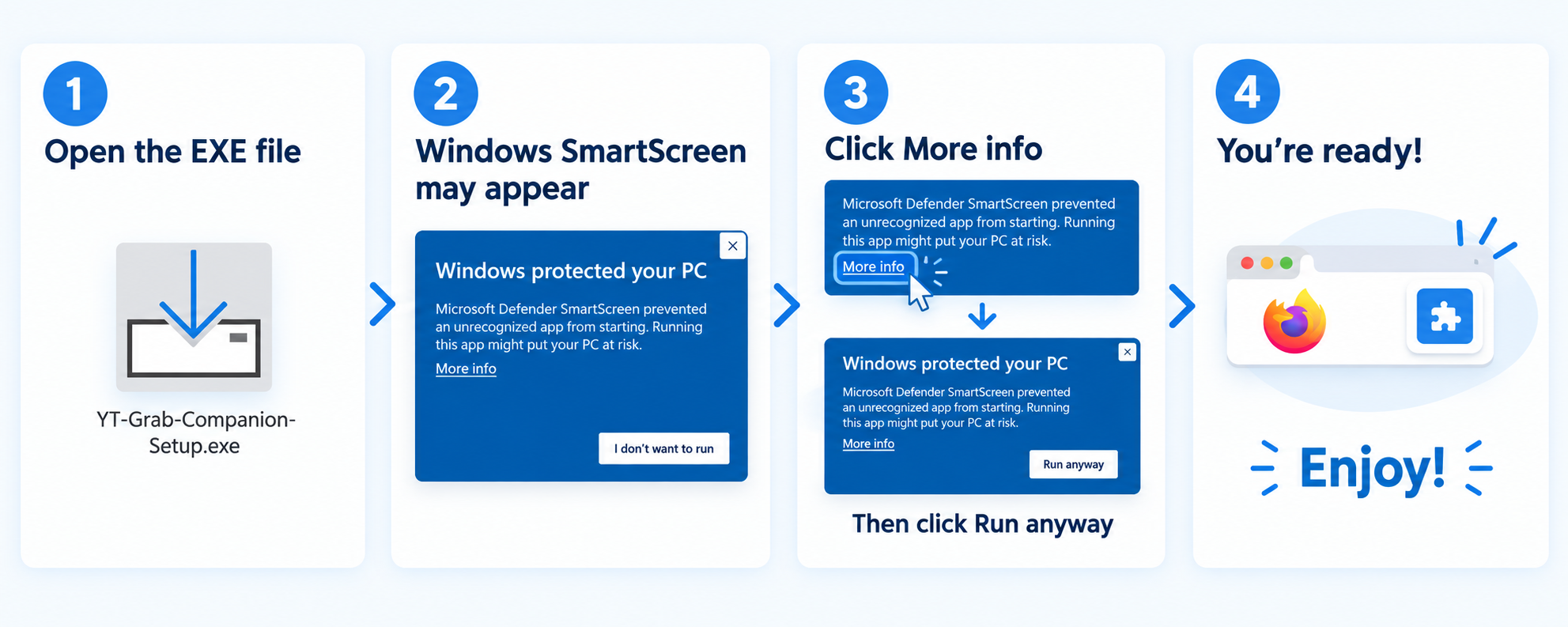
Click the download button above to get the standalone Windows installer (`YT-Grab-Companion-Setup.exe`).
2. Run the Installer
Open the file and click Next. It installs in 3 seconds to your user profile without requiring administrator password prompts.
3. Click Download
Open any video on YouTube in Firefox. Click the red Download button right below the player and choose your preferred quality.
How YT Grab Compares
| Feature | YT Grab + Companion | Other Add-ons (e.g. Easy Downloader) |
|---|---|---|
| 1080p & 4K Downloads | ✓ 100% Free Forever | ✗ Paid "PRO" Upgrade required |
| Data Privacy | ✓ 100% Local (Never leaves your PC) | ✗ Sent to third-party proxy servers |
| Sound Compatibility | ✓ Universal AAC (Plays everywhere) | ✗ Often muted or incompatible codecs |
| Speed & Queues | ✓ Unthrottled (Uses your full fiber speed) | ✗ Server bottleneck & waiting queues |
| Ads & Popups | ✓ Zero Ads / Zero Spam | ✗ Donation nag-screens and sponsor ads |
Frequently Asked Questions
Why does YT Grab require a companion app?
Does the installer require Administrator privileges?
Is the companion safe and open-source?
yt-dlp and FFmpeg. It contains zero analytics, zero trackers, and zero external network calls beyond downloading your selected video directly from YouTube.